🎬
Porn & NSFW Media Scan
Scan local image files (JPG, PNG, WEBP, BMP) and video files (.mp4, .m4v, .mov, .avi, .mkv, .wmv, .flv, .webm, .mpg, .mpeg, .3gp, .3g2, .ts, .m2ts, .vob, .ogv) for adult or explicit content.
Local NSFW & Porn Scanner for Windows
Detect, review, and filter adult images and explicit video files locally using private on-device AI models. No cloud uploads. No external processing. Designed for privacy-conscious users, parents, businesses, and compliance teams.
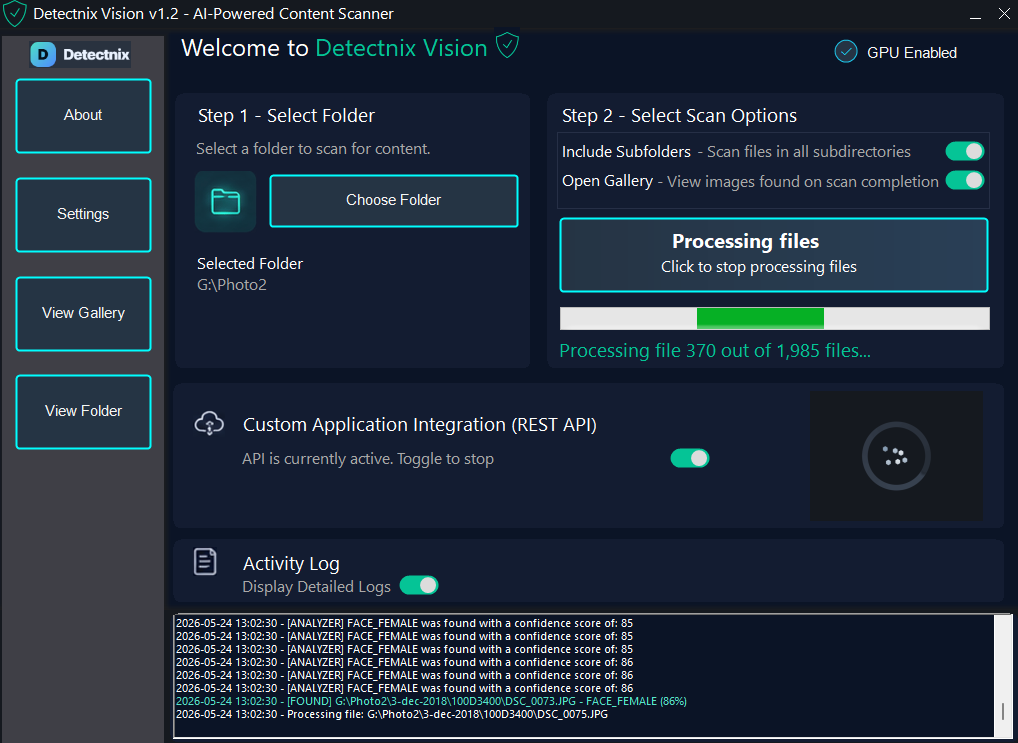
Scan local image files (JPG, PNG, WEBP, BMP) and video files (.mp4, .m4v, .mov, .avi, .mkv, .wmv, .flv, .webm, .mpg, .mpeg, .3gp, .3g2, .ts, .m2ts, .vob, .ogv) for adult or explicit content.
Detect adult imagery and explicit video content instantly using local AI classification models trained for sensitive media analysis.
Files never leave your computer. 100% local processing with zero cloud uploads or third-party tracking.
Leverage GPU acceleration for ultra-fast, high-volume video and image folder scanning on supported hardware.
Watch how the local AI porn scanner detects explicit video content
Software Screenshots - Select A Folder
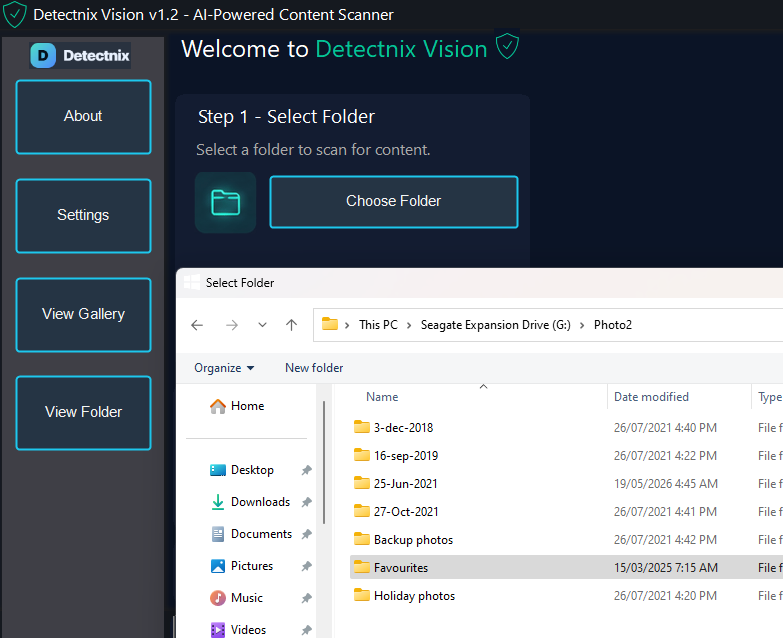
Software Screenshots - Set Options
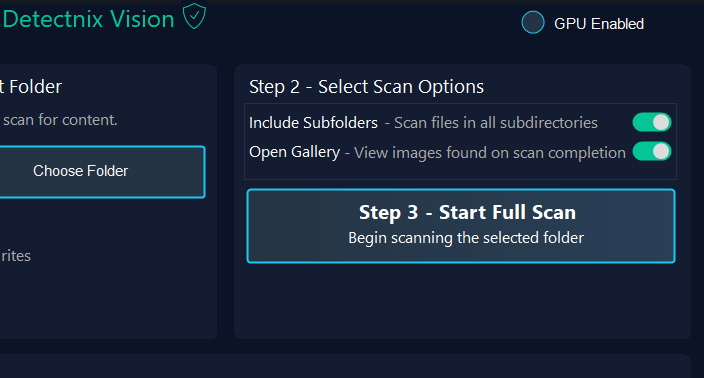
Software Screenshots - Scanning Begins
Software Screenshots - Real-Time Activity
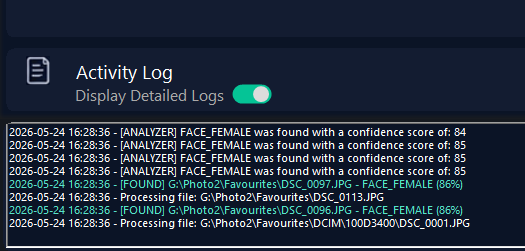
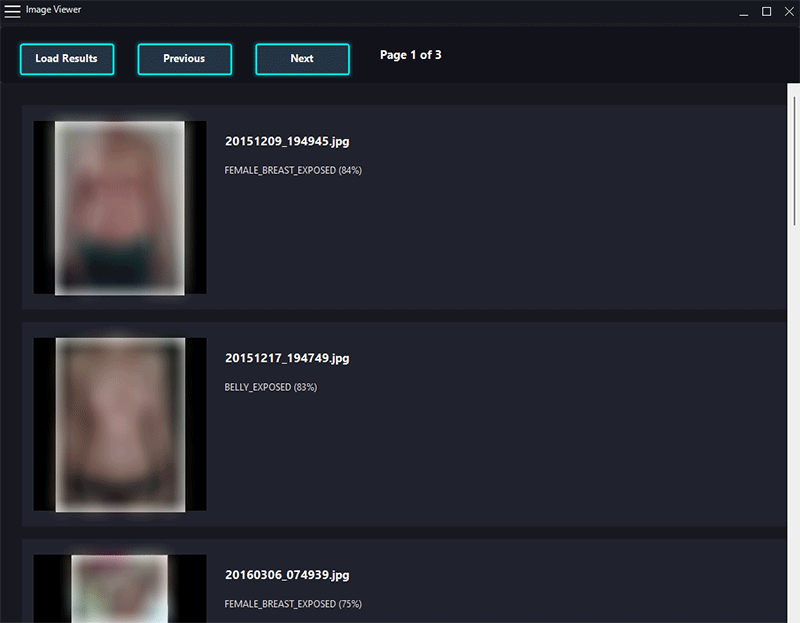
Software Screenshots - Gallery Review
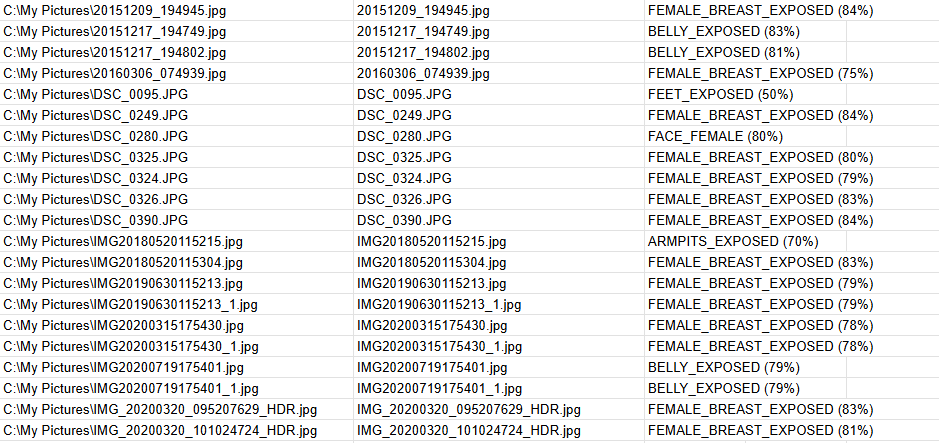
Software Screenshots - Export Results
Available Editions
| Feature | Free | Retail | Enterprise |
|---|---|---|---|
| Scan selected directory | ✓ | ✓ | ✓ |
| Recursive subfolder scanning | — | ✓ | ✓ |
| Local AI adult content model | ✓ | ✓ | ✓ |
| NVIDIA / DirectML GPU acceleration | ✓ | ✓ | ✓ |
| REST API integration | — | — | ✓ |
| Enterprise automation support | — | — | ✓ |
| Price |
$0
Free Forever |
$49 AUD
One-time purchase |
From $299 AUD / yr
Business & API licensing |
Detectnix Vision uses on-device artificial intelligence models trained to identify adult, explicit, and NSFW visual patterns. When pointed at a folder on your Windows PC, it analyzes images and video frames locally to detect adult content without needing an internet connection.
As hardware configurations vary, we recommend downloading and testing the free version first to confirm compatibility with your Windows setup. If the free version runs smoothly, the Retail and Enterprise editions will work identically.
No. Detectnix Vision performs 100% of its media scanning locally on your computer. Your explicit or private files never leave your device and are never uploaded to cloud services or external servers.
Supported Image Formats: JPG, JPEG, PNG, BMP, and WEBP.
Supported Video Formats: .mp4, .m4v, .mov, .avi, .mkv, .wmv, .flv, .webm, .mpg, .mpeg, .3gp, .3g2, .ts, .m2ts, .vob, and .ogv.
Yes. Detectnix Vision supports NVIDIA CUDA and DirectML GPU acceleration to significantly speed up large image collections and video file analysis on compatible hardware.
Yes. The Retail and Enterprise editions support recursive folder scanning, allowing you to scan entire directory trees, hard drives, and subfolders automatically.
Yes. Scan results can be exported to CSV files or copied to designated review folders for audit trails and internal workflow processing.
Detectnix Vision is designed for 64-bit Windows 10 and Windows 11 systems.
System Requirements
Performance varies based on file count, video length, media resolution, drive read speeds, and GPU capabilities.